The tech landscape is undergoing its most significant transformation in decades. AI has arrived and is revolutionizing every aspect of the industry. As AI tools become more pervasive in everyday computer use, shall we update our computer to AI PC and how to choose the right one for us among so many options in the market?
Generative AI is transforming a wide range of industries, from healthcare and finance to entertainment and transportation. Models like ChatGPT, Sora, and others are making headlines with their impressive capabilities, revealing the enormous potential of artificial intelligence.
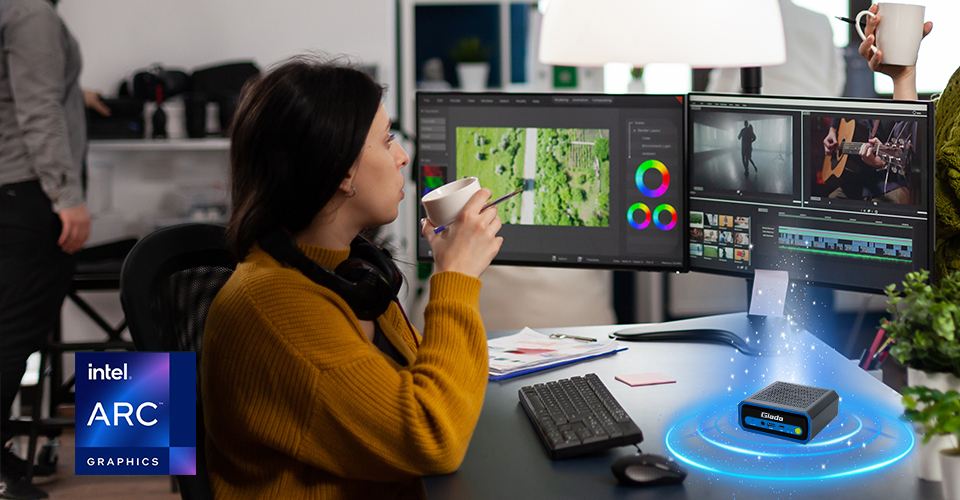
Traditional AI applications, such as image editing or spell checking, handle relatively simple tasks that require minimal computational resources. These applications use pre-defined algorithms and datasets, leading to quick processing times and less strain on hardware.
On the other hand, applications powered by large language models (LLMs), like GPT-3, are much more computationally demanding. They operate with models that contain millions or even billions of parameters, requiring significant computational power for training and execution. Tasks such as natural language understanding, text generation, and language translation involve complex algorithms and vast amounts of data, making them resource-intensive.
The primary distinction between traditional AI applications and LLM-powered ones is the scale and complexity of their computations. Traditional AI handles lightweight tasks efficiently, while LLM-powered applications push the limits of computational capability, requiring advanced hardware to perform optimally.
Upgrading to the latest AI-powered laptops ensures users remain at the forefront of technological advancements, equipped with the necessary tools to excel in a rapidly evolving digital landscape.
Choosing the right AI PC (Do You Really Need an NPU?) involves several key considerations to ensure that it meets your specific needs and requirements. Here's a guide to help you make an informed decision:
1. Define Your Use Case:Research and Development: For tasks like training complex AI models or running simulations, look for high-performance processors (CPUs) and GPUs with substantial memory (RAM) and storage.
Industrial Applications: If you're using AI for automation or real-time data processing, consider a PC with rugged design, reliability, and extended connectivity options.
Personal Use: For casual use or light AI applications, a PC with decent performance and affordability may suffice.
2. Key Specifications to Consider:
Processor (CPU): Choose a high-performance CPU, such as Intel’s AI-capable Meteor Lake processors, especially if you need powerful computing capabilities.
Graphics Card (GPU): For AI tasks involving deep learning, a powerful GPU (e.g., NVIDIA RTX series) is crucial for faster processing and better performance.
Neural Processing Unit (NPU): An AI PCs must have a strong NPUs. NPU is a specialized hardware unit engineered specifically to accelerate tasks related to artificial intelligence, particularly those reliant on neural networks and deep learning algorithms.
Memory (RAM): At least 16GB of RAM is recommended for most AI applications. For more intensive tasks, 32GB or more may be necessary.
Storage: Opt for SSDs over HDDs for faster data access. Depending on your needs, consider at least 512GB SSD or more, with additional external storage options if required.
Cooling System: Effective cooling is essential to prevent overheating during intense computational tasks. Look for PCs with advanced cooling solutions.
3. Connectivity and Expansion:
Ports: Ensure the PC has enough USB ports, HDMI/DisplayPort outputs, and other connectivity options relevant to your needs.
Expansion Slots: Check if the PC allows for future upgrades, such as additional GPUs or memory.
4. Form Factor and Size:
Compact vs. Full Tower: Compact PCs are suitable for limited spaces but may have fewer upgrade options. Full tower PCs offer more expansion capabilities and better cooling but require more space.
Portability: If you need a portable solution, consider a small form factor or a modular design that’s easy to transport.
5. Power Supply and Efficiency:
Power Rating: Ensure the power supply unit (PSU) is sufficient for your components, especially if you plan to add or upgrade hardware in the future.
Energy Efficiency: Look for PCs with efficient power management to reduce electricity consumption and operational costs.
6. Support and Warranty:
Manufacturer Support: Check the level of customer support and service provided by the manufacturer.
Warranty: A good warranty period can be crucial for long-term reliability and peace of mind.
7. Budget:
Balance: While high-end components offer better performance, they also come at a higher cost. Balance your budget with your performance needs.
Cost vs. Value: Consider the long-term value of the investment, including potential upgrades and support.
8. Reviews and Recommendations:
User Reviews: Look at reviews and ratings from other users who have similar needs.
Expert Opinions: Seek recommendations from professionals in the field or industry-specific forums to get insights into the best choices for your requirements.
If you haven't decided which one to buy yet, maybe you can refer to the following picks by Giada.
Giada AI PC N601
The compact edge AI computer is designed for AI tasks such as image/video editing, creative projects, and team collaboration.The Giada N601 features:
- Intel's AI-capable Meteor Lake Ultra 5/Ultra 7 processors;
- Up to 34 TOPS computing capability, enhancing workplace efficiency and privacy;
- Supporting 1 x 8K@60Hz ( via Thunderbolt 4 or DP1.4);
- Thunderbolt 4, capable of reaching file sharing speeds of up to 40 Gbps;
- Wi-Fi 7, delivering peak rates of over 40 Gbps.
Giada AI Workstation WA814
The workstation with high-performance desktop CPU and professional graphic cards, is especially designed for complex workload.- High performance 12th to 14th desktop CPU, delivering high performance computing;
- Supporting professional discrete graphic cards, handing complex graphic processing or 3D rendering acceleration;
- Supporting OEM/ODM services.
Building a PC specifically for AI tasks is a strategic investment that can greatly enhance your productivity and efficiency. By choosing high-performance components such as a powerful CPU, a robust GPU, ample RAM, fast storage, efficient cooling systems, and a reliable PSU, you can create a machine capable of handling demanding AI workloads. The advantages of a dedicated AI PC include better control over your hardware, decreased reliance on external services, and long-term cost savings.
Investing in a high-performance AI PC offers immediate gains in speed and efficiency while also preparing you for future AI advancements. Whether you're training deep learning models, performing complex data analysis, or exploring new AI applications, having the right hardware is essential for achieving your objectives.
Do you have any opinions or questions on the choice of AI PC? If so, let us know. As a leading tech company providing AIoT solutions with more than 24 years history, we have an expert team to help you. Embrace the new era of AI with Giada.



 Inquiry
 Download
 Technical Support
 RMA
RMA Events